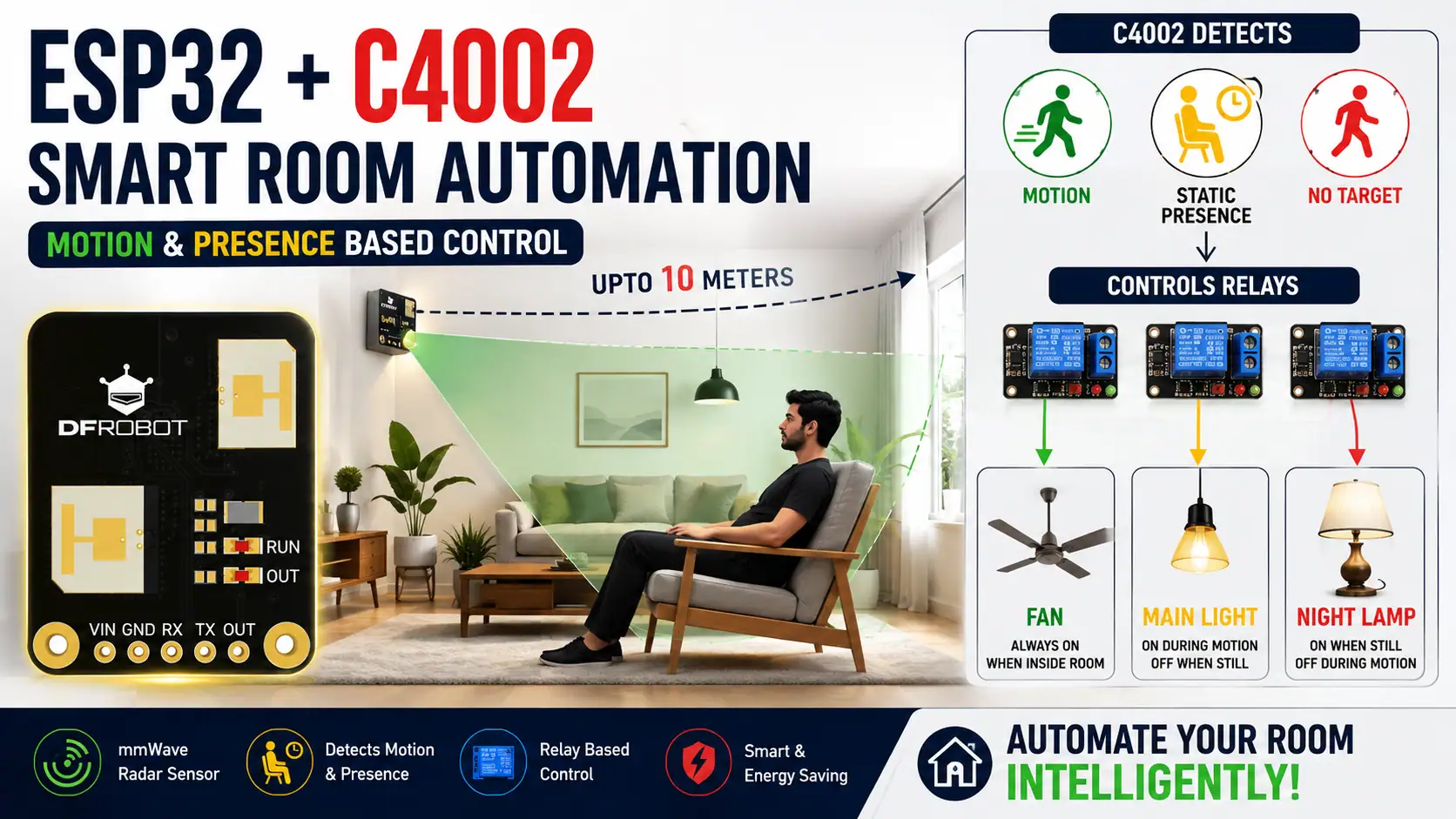

In this project, we will build a Human Presence Sensor using ESP32 and the DFRobot C4002 mmWave Radar Sensor to create a smart room automation system. Unlike traditional PIR sensors that primarily detect movement, the C4002 can detect both motion and static human presence. Using this information, the ESP32 automatically controls a fan, main light, and night lamp according to whether a person is moving, sitting still, or has left the detection area.
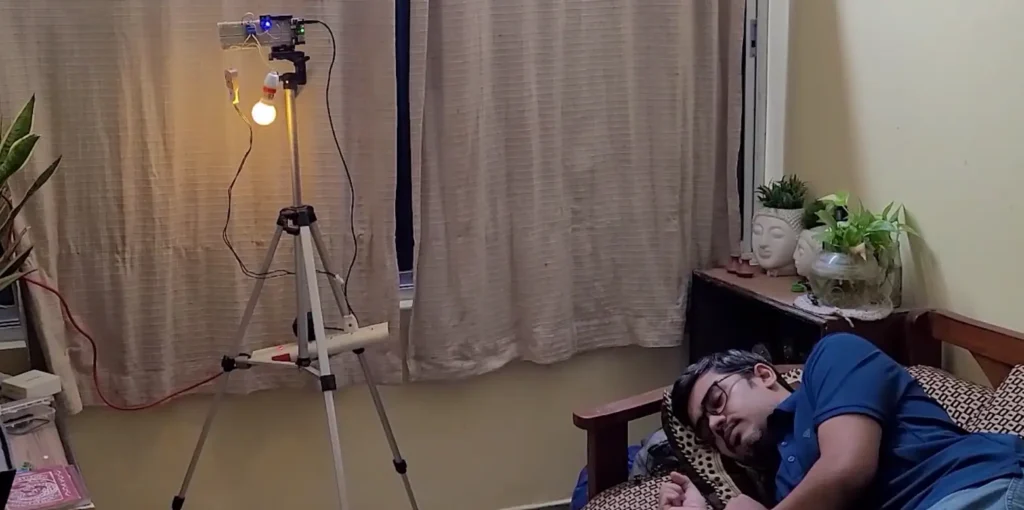
This project is ideal for learning about ESP32 home automation, mmWave radar technology, human presence detection, sensor calibration, and automatic appliance control. The system operates locally without requiring a Wi-Fi router or an internet connection for its basic detection and control functions.
Table of Contents
Project Overview
The system uses the DFRobot C4002 sensor to monitor a configured detection area. The sensor communicates with the ESP32 through UART and reports the detected target state.
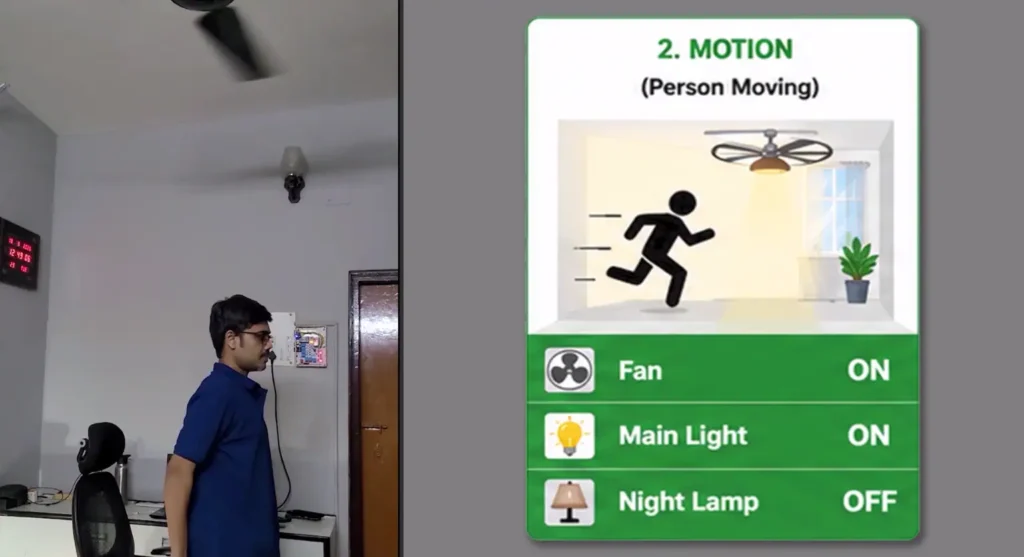
Based on the sensor’s output, the ESP32 controls three appliances through relay modules:
- Fan: Remains ON while a person is detected.
- Main Light: Turns ON when motion is detected.
- Night Lamp: Turns ON when static presence is detected.
- All Appliances: Turn OFF when the sensor reports no target.
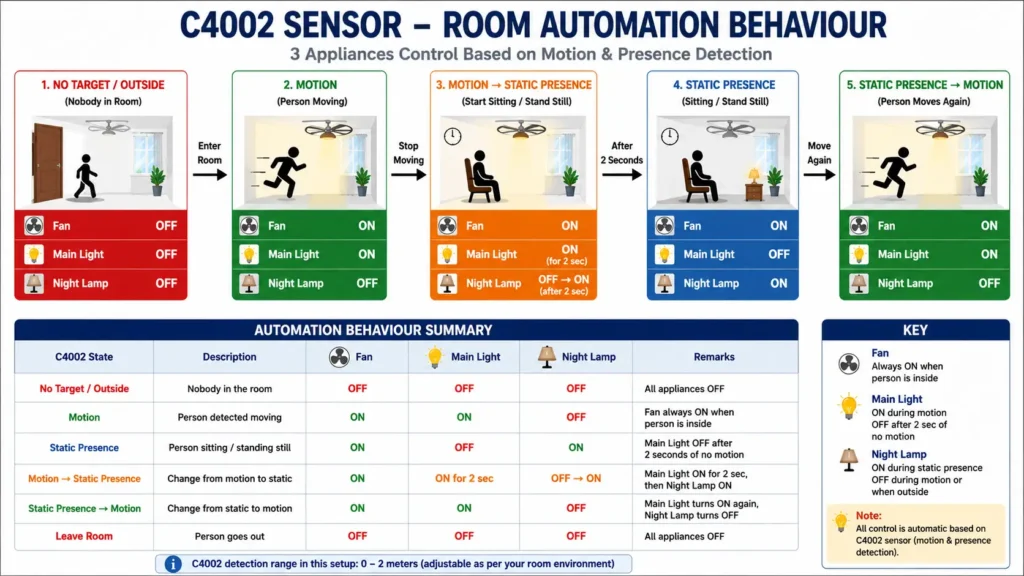
A two-second transition delay is used when changing from motion to static presence, allowing the main light to remain ON briefly before switching to the night lamp.
Watch the ESP32 C4002 Relay Tutorial
Watch the complete tutorial video to see the circuit, hardware assembly, calibration, programming and Testing in action.
Required Components for ESP32 C4002 Relay
You will need the following components to build this ESP32 human presence detection project:
- ESP32 Development Board
- DFRobot C4002 Human Presence Sensor
- Red/Yellow/Green LEDs for testing and status indication
- Relay Module for controlling AC/DC appliances
- 5V/USB Power Supply
For initial testing, you can use three LEDs instead of actual appliances. This allows you to verify the automation logic before connecting relay modules.
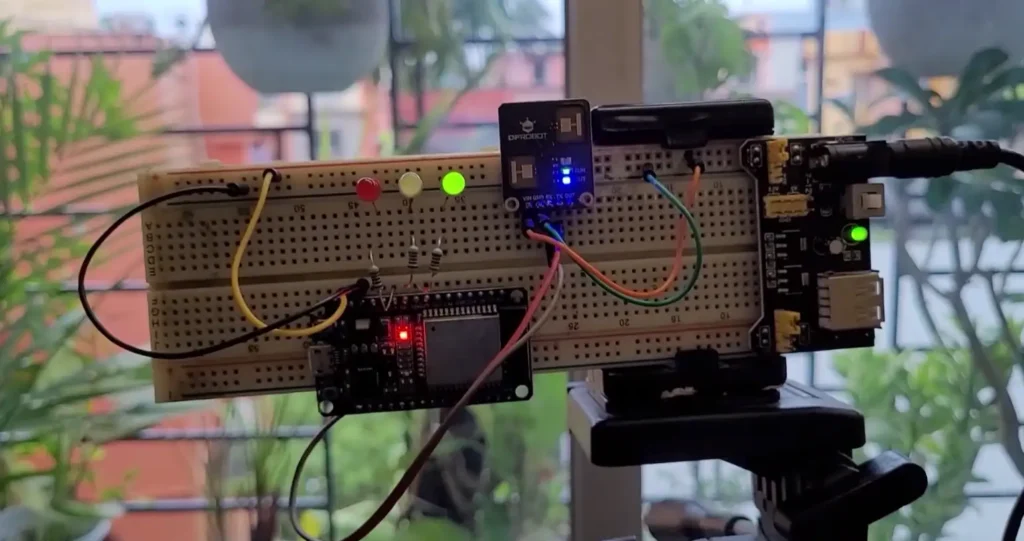
Safety note: Never connect an AC fan or light directly to an ESP32 GPIO pin. Use properly rated relay modules, suitable electrical isolation, fuses and enclosures. Mains wiring should be handled by a qualified person.
Understanding the DFRobot C4002 Sensor
The DFRobot C4002 is a 24 GHz mmWave radar sensor designed to detect human motion and presence. It provides information about the detected target, allowing a compatible microcontroller to make decisions based on the sensor’s reported state.
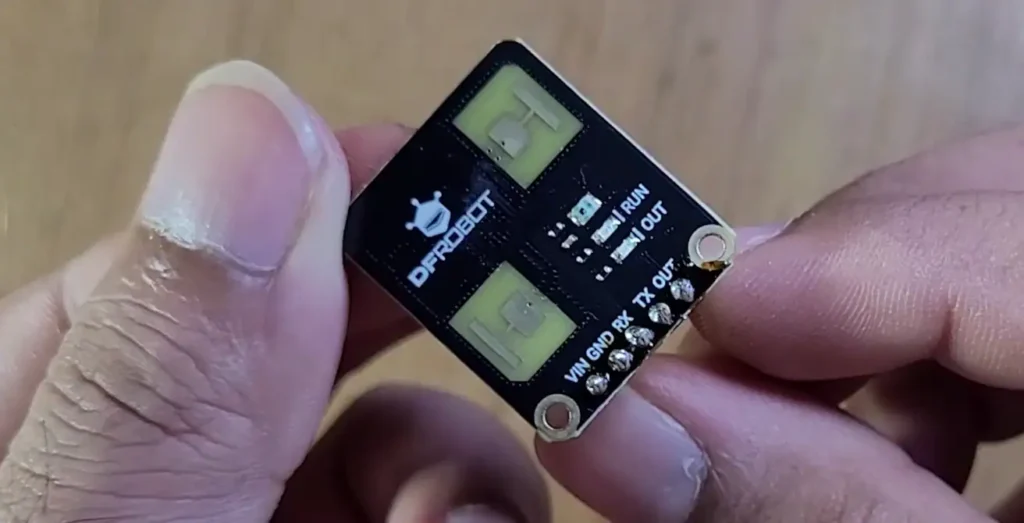
The C4002 can report three important target conditions used in this project:
- No Target: No target is currently reported within the configured detection area.
- Motion: A moving target is detected.
- Static Presence: A target is detected even though it is not moving significantly.
These states make the C4002 useful for occupancy-based automation, where the system needs to respond differently to movement and stationary presence.
The sensor’s advertised maximum detection range is up to approximately 10 metres under suitable conditions. However, actual performance depends on the selected configuration, target, installation, and surrounding environment. For this project, a detection range of 0–200 cm (2 metres) was selected because it provided more reliable results during testing in the actual room.
ESP32 and C4002 Wiring Connections
The C4002 communicates with the ESP32 through a UART serial connection.
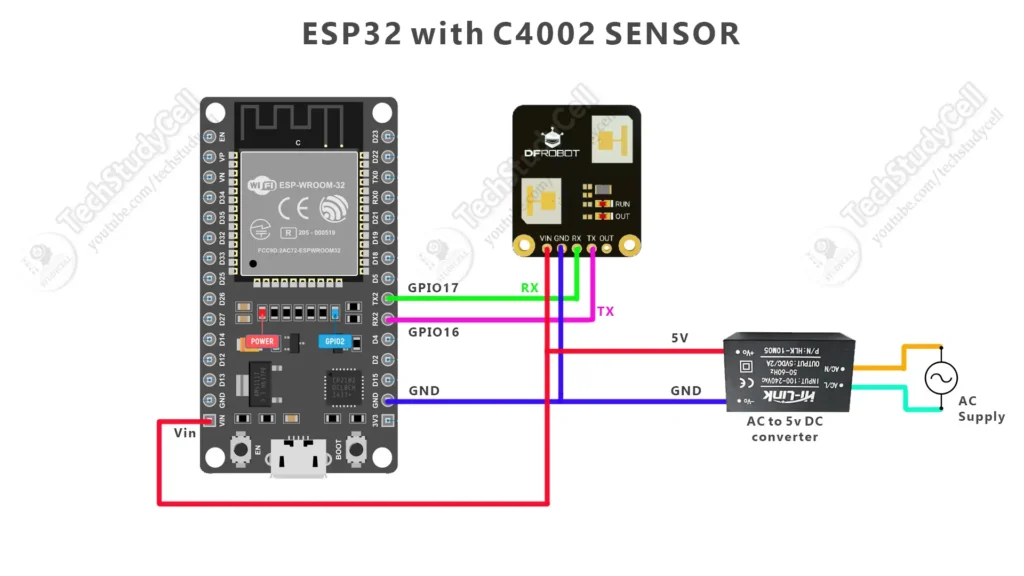
C4002 to ESP32
| C4002 Pin | ESP32 DOIT DevKit V1 |
|---|---|
| VCC | 5V, according to the sensor board’s specifications |
| GND | GND |
| TX | GPIO16 (ESP32 RX) |
| RX | GPIO17 (ESP32 TX) |
The TX and RX connections must be crossed: the sensor’s TX connects to the ESP32’s RX, and the sensor’s RX connects to the ESP32’s TX.
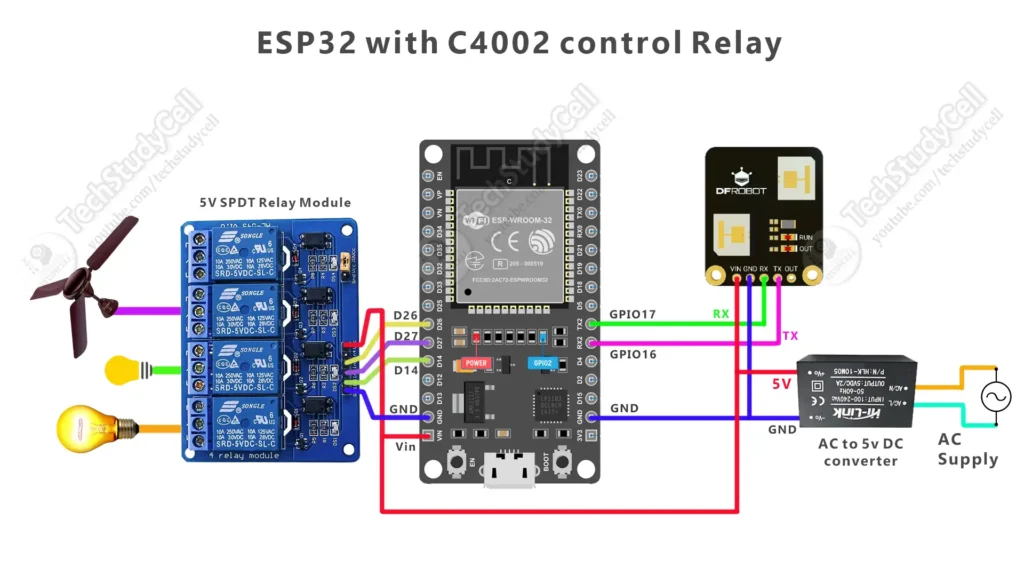
The project uses the following ESP32 GPIO pins for appliance control:
| Appliance | ESP32 GPIO |
|---|---|
| Fan relay | GPIO26 |
| Main light relay | GPIO27 |
| Night lamp relay | GPIO14 |
The ESP32 GPIO pins control the relay inputs, not the appliances directly.
Important: Confirm the relay module’s operating voltage and input compatibility before connecting it. The example control logic can be configured for active-LOW or active-HIGH relay modules.
Software Requirements
The project can be programmed using the Arduino IDE.
Required software and libraries:
- Arduino IDE
- ESP32 board package
- DFRobot_C4002 Arduino library
Install the DFRobot_C4002 library through the Arduino IDE Library Manager or from the official repository:
DFRobot C4002 Library: https://github.com/DFRobot/DFRobot_C4002
Select the appropriate ESP32 board and COM port before uploading the sketch. The C4002 UART baud rate used in this project is 115200.
How the Human Presence Detection Project Works
The complete system operates in several stages.
Step 1: Initialise the ESP32 and C4002
When the ESP32 powers on, it configures the relay-control GPIO pins and initialises the C4002 sensor. The ESP32 then sends configuration commands to the sensor.
The project uses an 80 cm resolution setting and a configured detection range of 0–200 cm.
Step 2: Monitor the Detection Area
The C4002 continuously monitors the configured area and reports the current target state to the ESP32.
The ESP32 reads the sensor’s UART data and checks whether the sensor reports motion, static presence, or no target.
Step 3: Control Appliances During Motion
When the sensor reports motion, the ESP32 activates the fan and main light while turning OFF the night lamp.
The appliance states are:
- Fan: ON
- Main Light: ON
- Night Lamp: OFF
This mode is intended for situations when a person is actively moving around the room.
Step 4: Switch to Static Presence Mode
When the sensor changes from motion to static presence, the ESP32 starts a two-second transition timer.
During this interval, the fan and main light remain ON, while the night lamp stays OFF.
After the two-second delay, the ESP32 switches the main light OFF and turns the night lamp ON. The fan remains ON because the person is still detected.
The appliance states become:
- Fan: ON
- Main Light: OFF
- Night Lamp: ON
Step 5: Detect Movement Again
If the sensor reports motion again, the ESP32 cancels any pending static-presence transition and immediately returns to motion mode.
The fan and main light turn ON, and the night lamp turns OFF.
Step 6: Turn OFF Appliances When No Target Is Reported
When the sensor reports no target, the ESP32 turns OFF all three appliances.
The fan, main light, and night lamp remain OFF until a target is detected again.
The sensor’s target-disappearance delay affects how quickly it reports that the target has disappeared. Therefore, the appliances may not switch OFF immediately when a person crosses the detection boundary.
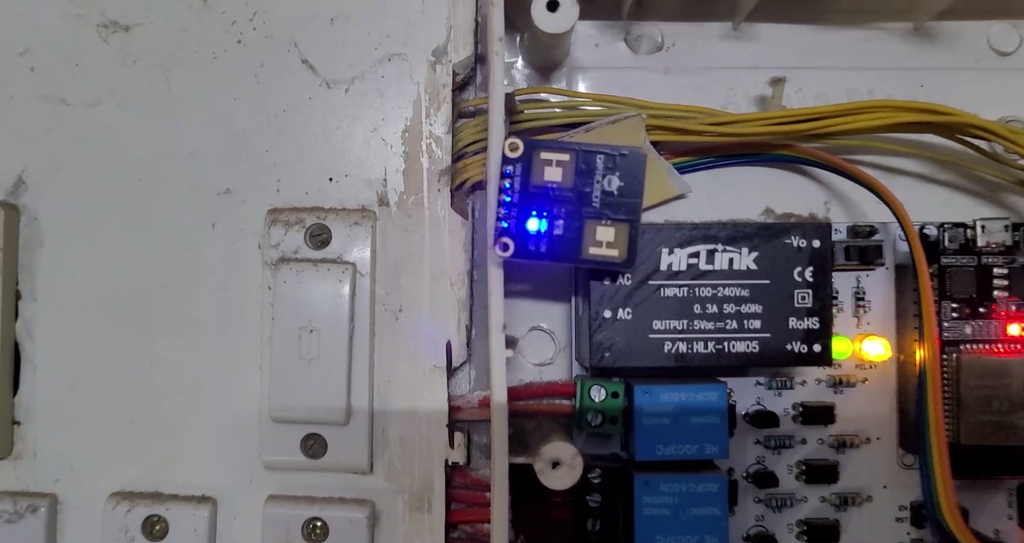
Automation Behaviour Summary
The following table summarises the intended behaviour of the project.
| C4002 State | Fan | Main Light | Night Lamp |
|---|---|---|---|
| No Target / Outside | OFF | OFF | OFF |
| Motion | ON | ON | OFF |
| Static Presence | ON | OFF | ON |
| Motion → Static Presence | ON | ON for 2 seconds, then OFF | OFF, then ON |
| Static Presence → Motion | ON | ON | OFF |
This arrangement allows the system to use a different lighting state depending on whether motion or static presence is detected.
PCBWay 9th Project Design Contest – Design Without Limits!
Showcase your innovation in Edge AI & IoT, Robotics, Power, Mechanical, or Open Theme and win exciting prizes, including up to $2,000 cash, PCBWay coupons, and advanced hardware!
📅 Deadline: January 24, 2027

From prototype to mass production, PCBWay provides fast and reliable PCB fabrication and turnkey PCB assembly services. Their advanced manufacturing capabilities support FR4, HDI, Rigid-Flex, Flexible PCBs, Aluminum PCBs, RF/Microwave, and multilayer boards up to 24 layers.
Don’t miss these exclusive Project Design Contest! Learn more at the PCBWay 9th Design Contest page.
Environmental Calibration of the C4002
Environmental calibration is an important part of this project. The sensor observes the surrounding environment and generates separate threshold values for motion and presence detection across its distance gates.
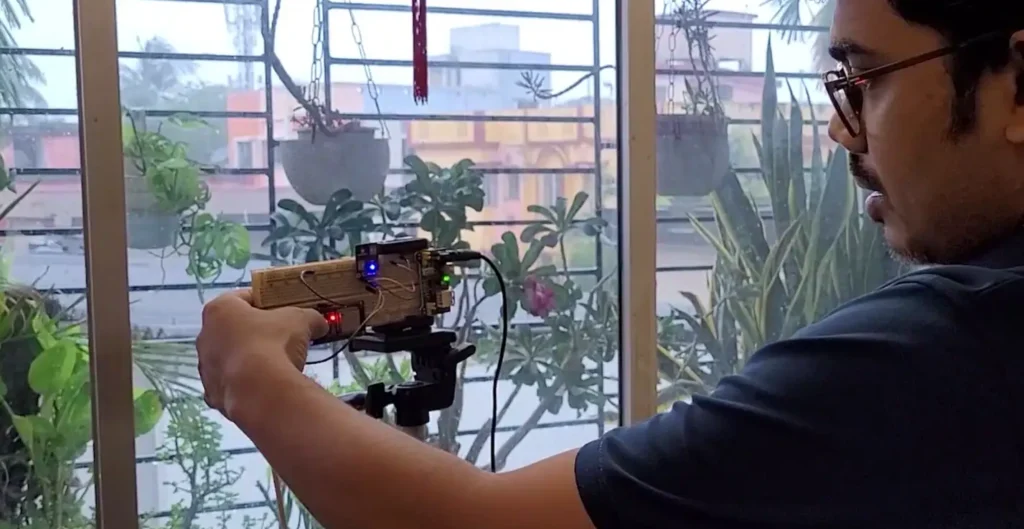
For the calibration procedure used in this project, the sensor is configured with an approximately one-second reporting period. The program then provides a ten-second countdown so that the detection area can be vacated before starting a 30-second environmental calibration.
During calibration:
- Install the sensor in its intended operating position.
- Keep people out of the detection area.
- Avoid movement in front of the sensor during calibration.
- Allow the calibration process to complete.
- Review the motion and presence threshold values reported by the sensor.
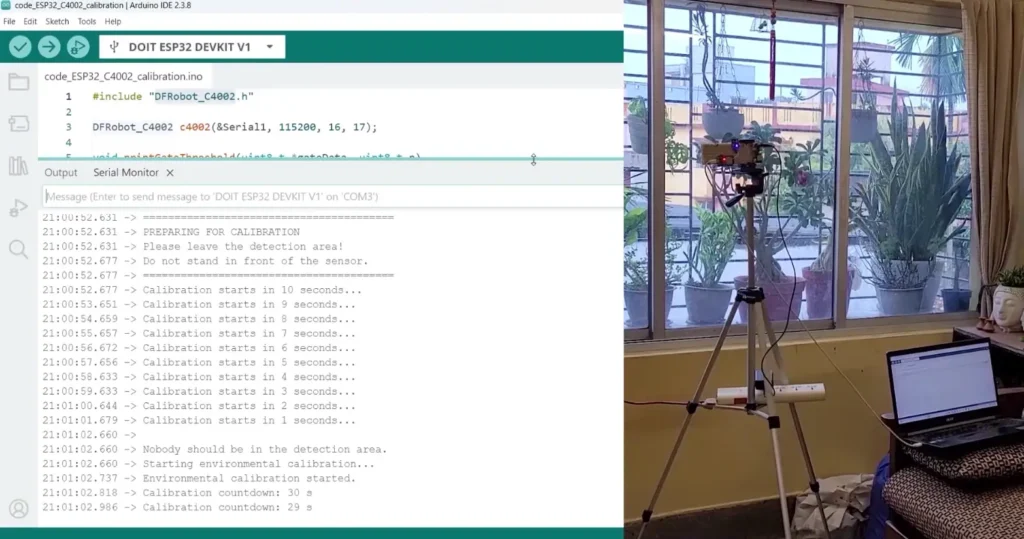
With the 80 cm resolution setting, the sensor supports 15 distance gates. Each gate represents an approximately 80 cm distance interval, subject to the sensor’s actual range configuration.
The calibration results contain two sets of values:
- Motion distance gate thresholds
- Presence distance gate thresholds
These are threshold values, not distance measurements. They should not be interpreted as centimetres or metres, and a value of 99 should not automatically be treated as proof of better detection performance than a value of 28.
The sensor’s thresholds vary across gates because the background response can differ with distance. Walls, furniture, doors and other objects may influence the radar reflections.
For reliable results, perform calibration in the environment where the sensor will actually operate.
Configuring the Detection Range
The C4002 supports different detection-range configurations. The range should be selected according to the application and the results observed during testing.
In this project, the following configuration is used:
- Resolution: 80 cm
- Minimum detection range: 0 cm
- Maximum detection range: 200 cm
- Configured detection zone: 2 metres
A larger configured range does not necessarily guarantee more reliable human presence detection. In the test room, increasing the range beyond approximately two metres resulted in unwanted static-presence reports even when the area appeared empty.
This behaviour may be influenced by environmental reflections or other factors and should be investigated through controlled testing. For that reason, the two-metre setting was retained for the demonstration.
If you install the sensor in another room, test the detection range and calibration again instead of assuming that the same settings will work equally well everywhere.
Important Points and Limitations
Before using this project in a real room, consider the following limitations.
1. Environmental Reflections
Furniture, walls, doors and other objects may influence radar reflections. The sensor may require adjustments to its detection range, installation position or threshold settings.
2. Static Presence Is Not Guaranteed in Every Situation
Although the C4002 supports static-presence detection, actual results depend on the sensor’s configuration, target position and environment. Test the sensor with a person sitting still, standing still and moving at different distances.
3. Detection Range Depends on the Environment
The advertised maximum range is not a guarantee of reliable detection throughout every room. A shorter range may provide more reliable results in some indoor environments.
4. Calibration Must Be Performed Correctly
People or moving objects within the detection area during calibration can affect the resulting thresholds. Keep the area clear for the recommended calibration procedure.
5. No Target Does Not Prove That a Room Is Empty
The system reacts to the target state reported by the sensor. A no-target report does not guarantee that every person or object is absent, so this project should not be used as a safety-critical occupancy system.
6. Appliance Switching Depends on the Relay Configuration
The example assumes that the ESP32 can control suitable relay modules. Active-LOW and active-HIGH relay modules require different ON/OFF logic, and relay ratings must match the connected load.
7. Offline Operation
The basic sensor-reading and appliance-control functions work locally. Wi-Fi and internet connectivity are not required for the described automation logic.
Applications of ESP32 and C4002 Human Presence Detection
This project can be adapted for several practical applications:
- Smart room automation
- Automatic fan and lighting control
- Occupancy-based lighting
- Bedroom and living room automation
- Office and meeting room automation
- Automatic night lighting
- Energy-conscious appliance control
- ESP32 and radar sensor demonstrations
- Embedded systems and home automation learning projects
The automation logic can also be extended to control additional appliances, display the sensor state on an OLED, or provide a local web dashboard.
Why Use a Human Presence Sensor Instead of a Basic PIR Sensor?
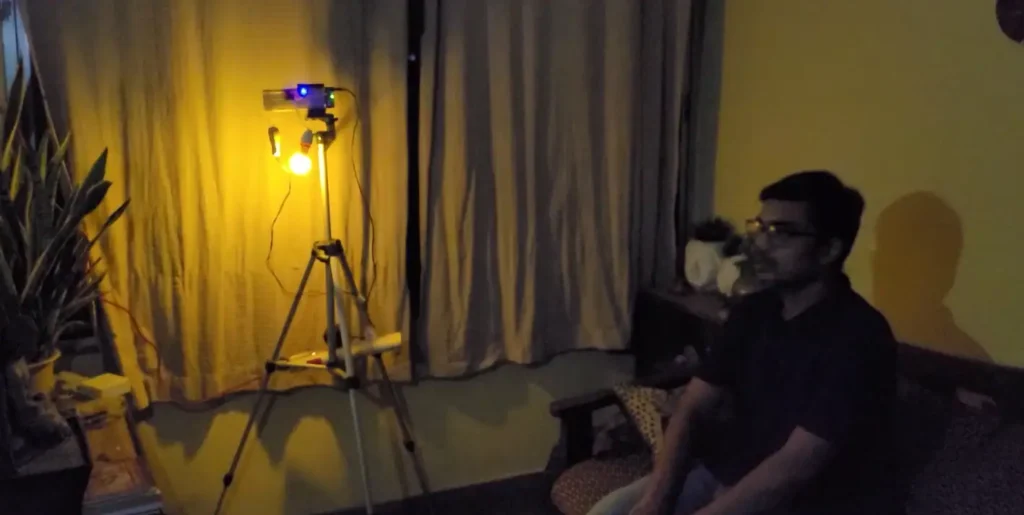
Traditional PIR sensors are primarily designed to detect changes in infrared radiation associated with movement. As a result, a person who remains still may no longer trigger a typical PIR motion sensor after the initial movement.
The C4002 provides motion and static-presence information, allowing the ESP32 to implement different actions for moving and stationary targets.
In this project, that capability is used to keep the fan ON while a person remains detected, switch between the main light and night lamp, and turn all appliances OFF when the sensor reports no target.
The result is a useful demonstration of how radar-based presence sensing can support more advanced occupancy-aware automation.
Conclusion
In this project, we built a Human Presence Sensor using ESP32 and the DFRobot C4002 mmWave Radar Sensor to control a fan, main light and night lamp automatically.
The system responds to three target states: motion, static presence and no target. During motion, the fan and main light are ON. When static presence is detected, the fan remains ON while the main light switches OFF after a two-second transition and the night lamp turns ON. When the sensor reports no target, all three appliances turn OFF.
The project also demonstrates how environmental calibration, distance gates, detection-range configuration and sensor placement affect the results of a human-presence detection system.
If you are interested in ESP32 projects, radar sensors, motion detection, static-presence detection and smart home automation, this is a practical project to build and experiment with.